7 Ways ERP inventory management add-ons can save time and money

How ERP add-ons can add value to your current system’s functionality
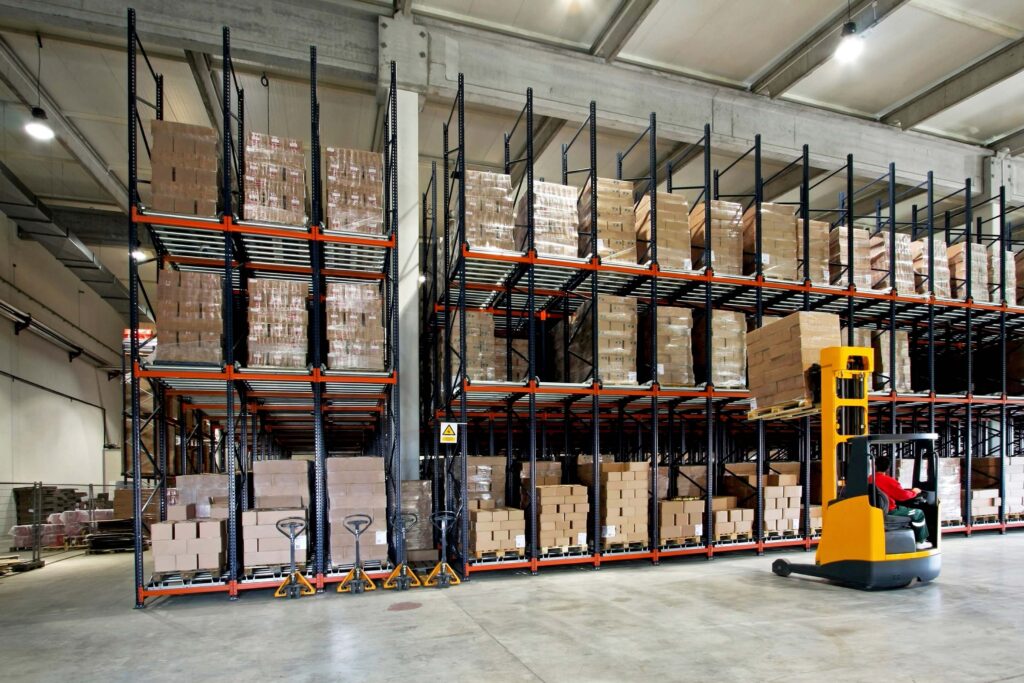
Enterprise Resource Planning (ERP) systems have become essential business tools. They are excellent for improving efficiency throughout your entire organisation. They collect and analyse data, process orders, and manage finances. Using a central system means that everyone can see the same data, regardless of their role or department. Similarly, warehouse management systems (WMS) play a crucial role in controlling stock and managing warehouse operations.
However, they both have limitations when it comes to specialist functionality, such as automated document signing, online payments, or inventory optimisation. They can also require significant manual intervention, which is time-consuming and prone to error. This is where ERP add-ons can enhance functionality.
ERP add-ons are typically cloud-based and connect to ERPs, working with the system to provide more specialised functionality in a specific area. Being cloud-based makes them easy to implement, allowing you to realise benefits immediately. Most add-ons will work with any ERP system, either through a ready-built connector or a custom-built connection.
In this post, we’ll focus on the benefits of inventory optimisation ERP add-on software and the cost and resource savings it can bring to your business. Inventory optimisation is the art of balancing inventory investment with high levels of fulfilment and stock availability. It allows you to automate your inventory planning and replenishment activities, optimising your stock levels to make each stage of your supply chain more accurate and cost-efficient. You can find out more in our blog post ‘What is inventory optimisation?’.
Several warning signs indicate that you need to automate your demand and inventory planning activities, such as experiencing a high number of stockouts, holding significant excess stock levels or relying on spreadsheets to perform replenishment calculations. If you are currently experiencing any of these issues, read on to discover how an ERP add-on can help.
1. Save time and labour costs
Using spreadsheets to calculate your inventory needs and inputting this data back into your ERP is no fun. You can waste a lot of time working out what, when and how much stock to replenish. Additionally, manually entered data is prone to errors. As your business grows and the number of SKUs you manage increases, you’ll find that spreadsheets become slower and calculations get more complicated.
An ERP inventory management add-on will save time and resources by automating demand forecasting, stock planning and replenishment calculations, and feeding this data into your ERP.
With stock reordering amounts worked out for you, you can free up time for more strategic decision-making and planning.
Automating your stock management calculations ensures they’re always based on the latest demand and stock level data without the need for constant manual updates.

2. Reduce stock investment
Many ERP systems excel at inventory control, ordering items, updating stock levels and raising purchase orders. However, they often lack the necessary analytical tools to recommend the stock you need and in the right quantities.
Consider your current stock levels. Can you ensure you have the availability to meet customer demand? How do you know you haven’t invested too much capital in goods with little or no demand?
Optimising your stock levels can increase profitability. Lowering inventory levels of stock that won’t sell improves inventory turnover, frees up working capital (and opportunity costs) and reduces your carrying costs. However, you don’t want to do so at the expense of causing stockouts. The key is to prioritise the SKUs you hold based on their demand and cost to your business.
ERP add-on software, such as EazyStock, will classify each SKU in your warehouse and recommend its ideal stock level, so you can meet fulfilment targets without holding surplus stock. This is known as ABC classification or ABC analysis.
3. Redistribute stock across multiple locations, instead of buying more
Businesses with more than one warehouse can take stock optimisation to the next level by optimising inventory levels across all locations. For example, if demand for woollen sweaters is high in one region but low in others, it makes sense to move the sweaters to the warehouse serving the ‘high-demand’ area rather than ordering new stock. This prevents surplus stock from accumulating in other locations. It also reduces the reliance on external supplier networks and frees up working capital.
4. Take full advantage of all sales opportunities
Many ERP inventory management modules use basic rolling average calculations to forecast demand. These demand forecasting methods cannot account for seasonality or trends. If you fail to spot upcoming sales opportunities, you may not have adequate stock to capitalise on customer demand.
By using statistical demand forecasting techniques (provided by inventory optimisation software), you can improve the accuracy of your forecasts and plan for demand peaks. Software like EazyStock is designed to recognise seasonality and trend patterns. It adjusts forecasts daily and updates your replenishment recommendations, setting data-led reorder points and safety stock levels. Consequently, you’ll always be able to make the most of demand surges and prevent costly stockouts and backorders.
5. Prevent money wasted on excess and obsolete stock
Accurate demand forecasting also prevents a build-up of surplus stock. By tracking the demand for every inventory item in your portfolio, EazyStock calculates its current position in its product life cycle. The risk of excess and obsolete stock is highest as products leave the maturity stage and hit decline. EazyStock spots these demand changes and adjusts reordering parameters accordingly, reducing the risk of costly excess and obsolete stock.

6. Reduce the bullwhip effect in supply chain management
The bullwhip effect occurs when a slight fluctuation in demand at the top of the supply chain has a magnified impact on demand forecasts further down the supply chain. For example, if a bike shop sells more of a specific SKU than usual, it may increase its demand forecast and place a larger order from its regional distribution centre (RDC). The RDC may then increase its demand forecast based on the retailer’s new order quantity, rather than actual demand. Based on the RDC’s new forecast, the central warehouse may follow suit. The result is overinflated demand forecasts and consequential stock surpluses at each stage of the supply chain. Like the cracking of a whip, the increase in demand starts small but grows down the line.
EazyStock stops this by producing forecasts based on actual point-of-sale data. This eliminates the scenario of overinflated stock levels at each stage of the supply chain, preventing money from being tied up in unnecessary stock.
7. Reduce ordering costs
Many suppliers impose contractual constraints around order quantities, which can inhibit cost-effective purchasing. Automated stock replenishment software can help by considering these factors when recommending your daily replenishment needs. For example, suppose a supplier has a minimum order quantity, or you want to fill up a shipping container. In that case, EazyStock will look at items with upcoming demand and identify the most cost-effective items to add to the order.
It’s essential to understand whether supplier offers are cost-effective. Advanced ‘price break’ functionality can help you determine if ordering larger quantities at a lower ‘price per unit’ will offset the costs of carrying more inventory and the risk of it being surplus to demand.
Enhanced inventory management functionality with ERP add-on software
EazyStock is ERP-agnostic, allowing it to connect to any existing ERP system. It offers businesses a wealth of cost-saving benefits by enhancing rather than replacing ERPs.
EazyStock connects to most major ERPs, including Acumatica, Microsoft Dynamics, Business Central, Visma, Epicor, Merlin, SAP, Pyramid, Intuit QuickBooks, Monitor, and Opera. Our list isn’t exhaustive, so please talk to us about how we can connect to your system, allowing you to take advantage of additional inventory optimisation features that will save your business time and money.
For more information, call our team on 0121 312 2992 or contact us here to discuss your needs and how we can support you.